Member exit reporting
Member exit reporting assists in gathering qualitative feedback to improve the program moving forward. It is a simple function that involves marking a member as closed, capturing some simple data and sending an exit survey to the member. It only takes a minute for an RM to perform this task.
Member exiting reporting strategically fits in with the lifecycle of the RAS program; potential/lead → affiliate → member → exit.
Goals
- Understand and record the reasons members leave the program.
- Capture more detailed feedback in survey form to discuss with the team and potentially improve the program.
The member exit process
When you have a member under your management leave RAS, please follow this process;
- Login to MMS
- Navigate to the members model.
- Find the member you are closing.
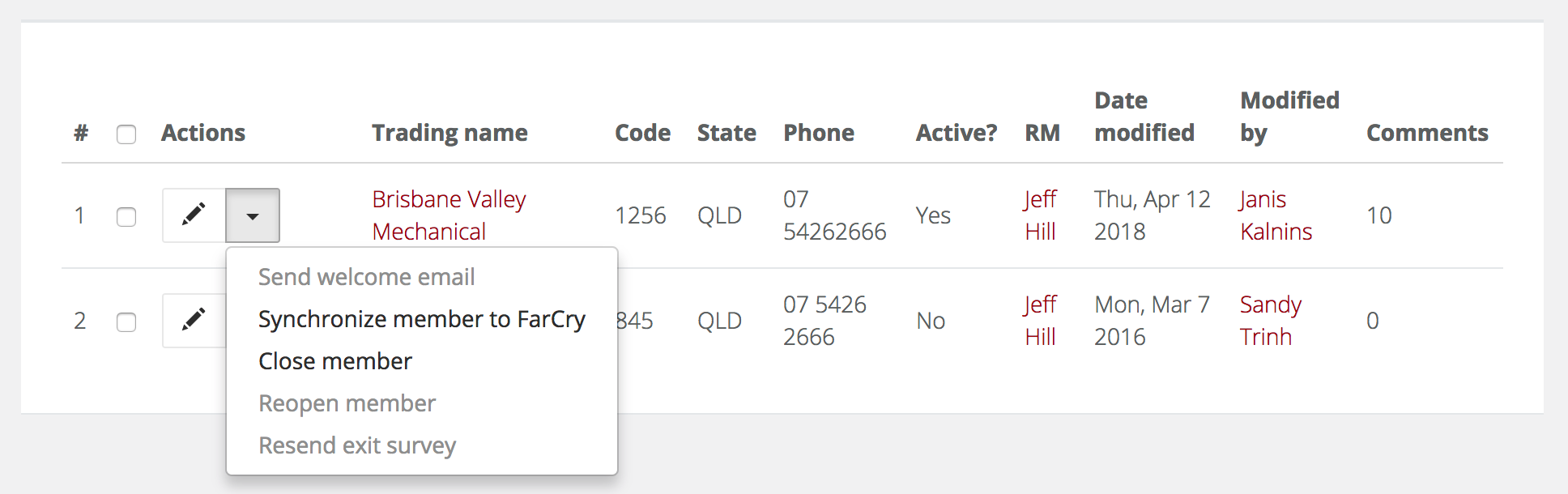
- Click the dropdown arrow next to their record then select close member.
- You will now see the close member form;
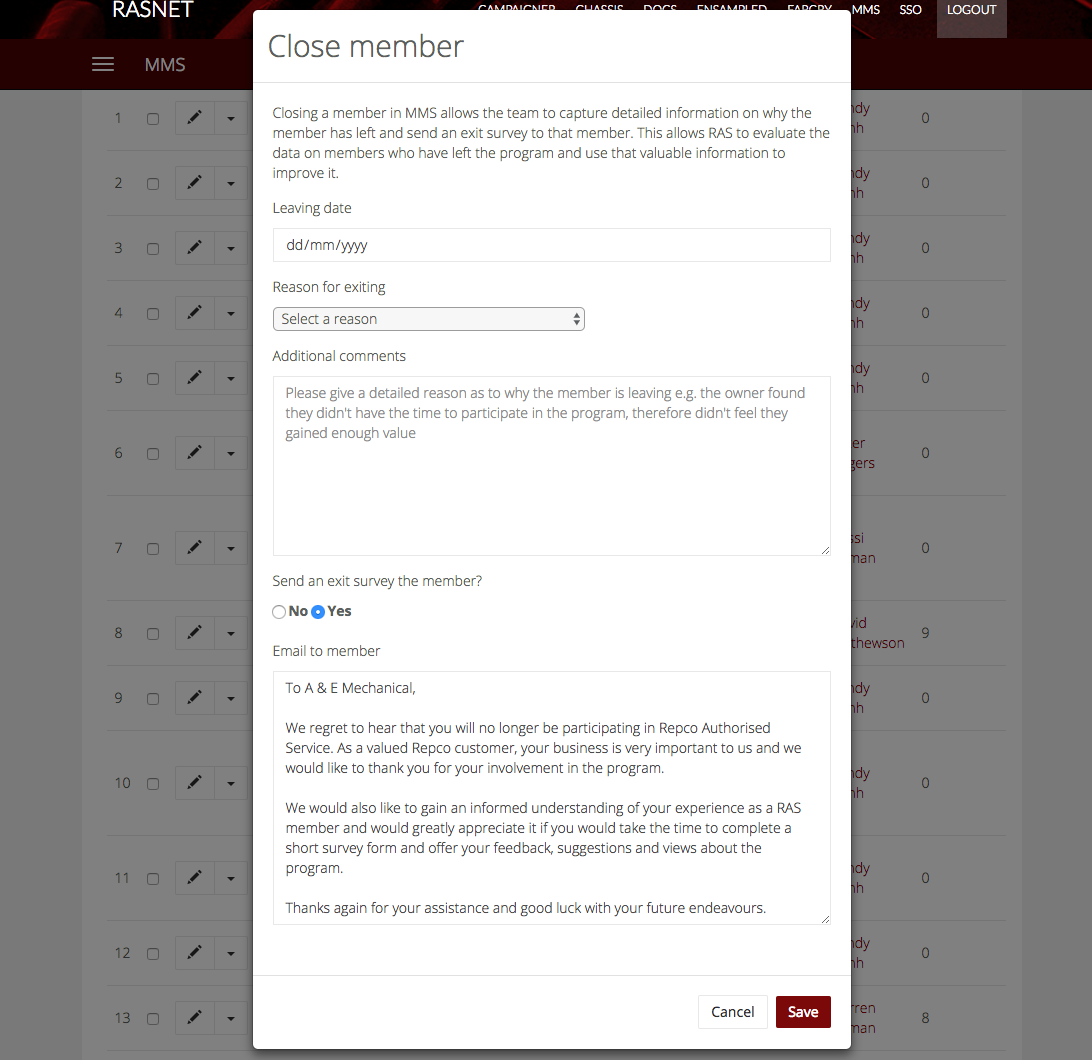
- Select the leaving date.
- Select the reason for exiting.

- Add as much detail in your additional comments as possible. This field requires at least 100 characters to save.
- Tweak the exit email, if required. This email will contain a link to an exit survey to gather more information from the member. A copy of the email will be sent to the person closing the member and the outgoing member themselves. The results of this survey will be emailed to the National Manager.
NOTE: You can always send this email at another time if the day you close them in MMS isn't appropriate. All you need to do is come back to the member record, click the down arrow and select resend exit survey. You will be shown a pop-up to edit the email contents before sending.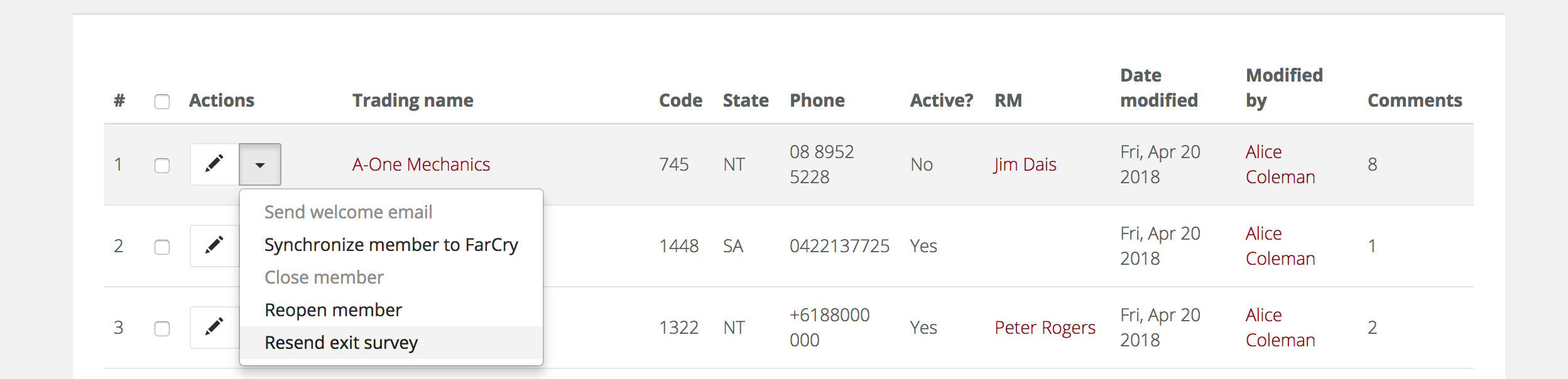
Member status
As part of the member exit process update there is now a status tab on the member overview to capture and report on status changes for members.

Reopening a member
Should a member choose to return to the RAS program they can simply be reopened. All you need to do is come back to the member record, click the down arrow and select reopen member and they will again be active.
