Managing your preferences
MMS provides you with the ability to edit your personal preferences that change in some ways how MMS works for you.
Goals
- Finding user records
- Editing your preferences
Finding user records
To find user records, start by logging into MMS.
- Click on the navigation button (the three bars next to the word MMS).
- Choose Models (just beneath Dashboard).
- Scroll down and click Users.
- This provides you with a list of all users.
- To find yourself, enter the first part of your email address in the Search text box and click Search.

Editing your Preferences
Once you've found the appropriate user record:
- Click on the Edit icon next to your name.
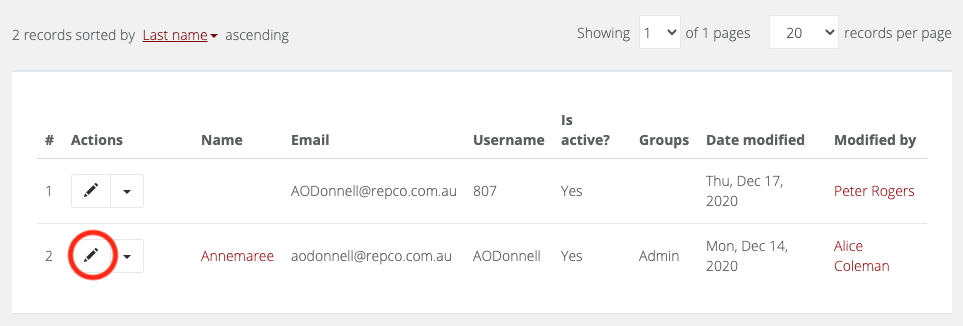
- Scroll down to the latter half of the form to find your preferences including:
- Phone
- Mobile
- On leave settings
- Feedback and warranty notification settings
- Once you've finished setting them, click Save.
- Your preference updates become active immediately.
