Bulk assign BDM/RM/coach
In MMS there are a series of group actions that can be performed on member records to make editing quicker.
The four actions you will find most useful are;
- Assign BDM
- Assign RM
- Assign coach
- Send group email
Using group actions
Here are the steps to use a group action;
- Log-in to MMS
- Navigate to the Member list
- Select the members you would like to edit using the checkbox to the left of each member record (it can be useful to filter the members first)
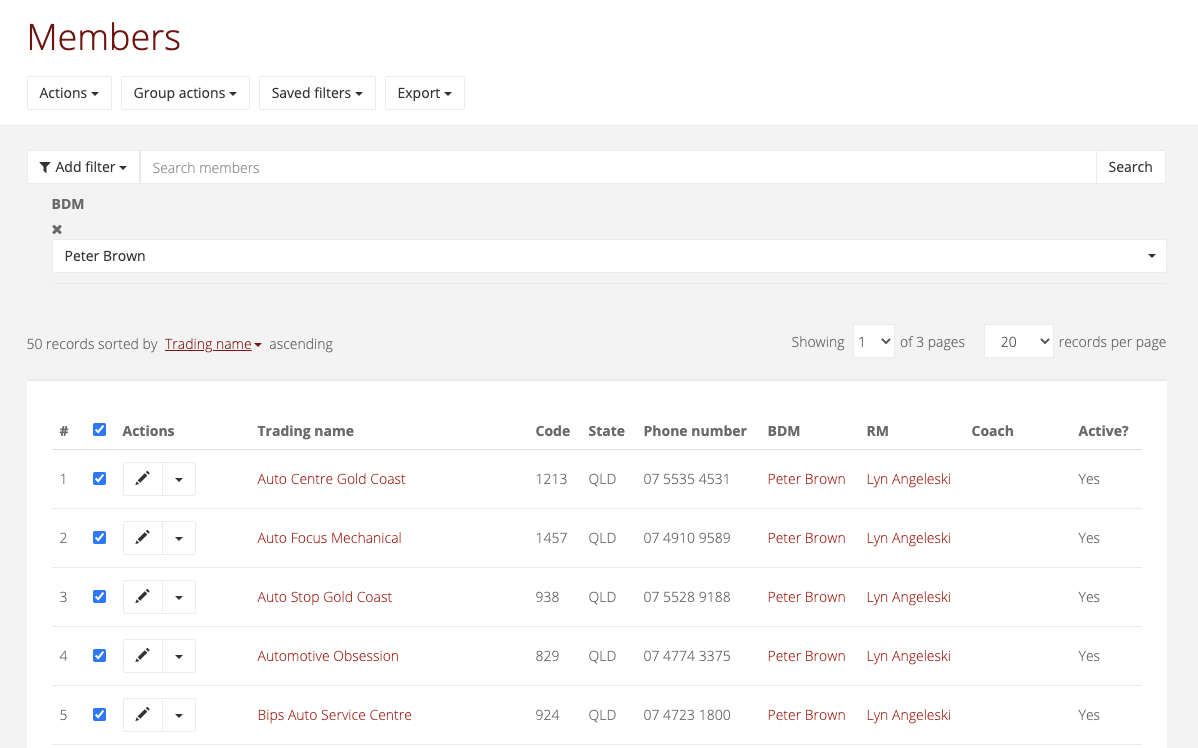
- Once you have selected a member you will notice a new button appear at the top of the member list called group actions, click on the button for group actions and select the action you would like to use
NOTE: The group action button will not appear until you have selected at least one member using the checkbox.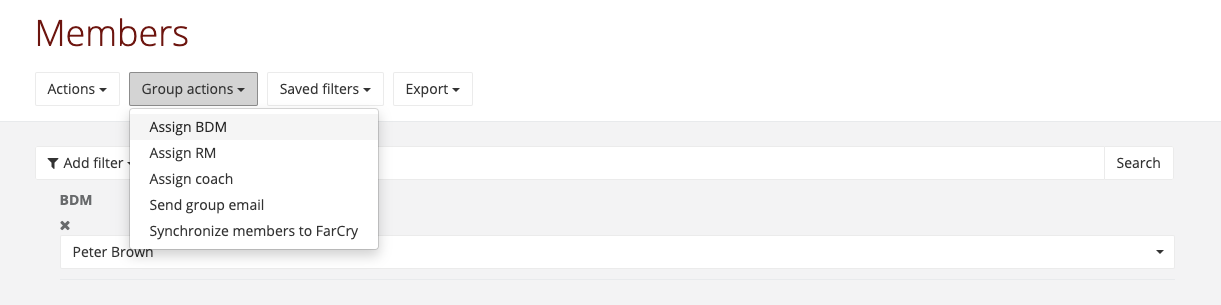
- If you are re-assigning a new BDM/RM/coach select the correct user and hit update. If you are sending a group email complete the form and hit send.
